Introduction
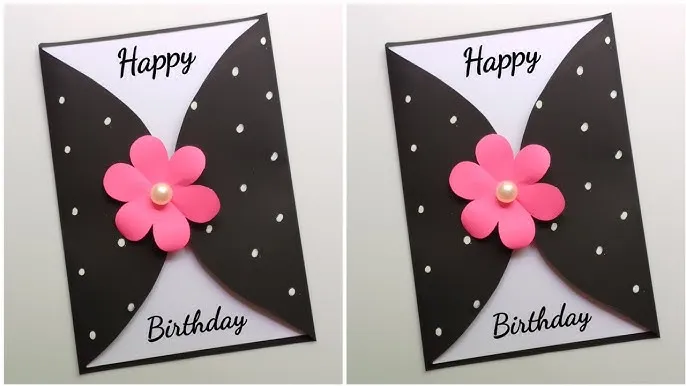
A custom birthday card is a small thing, but it’s one of the most fun ways to celebrate someone you love—because it’s personal, a little creative, and totally theirs. The goal isn’t an amazing design; it’s to turn a sweet message into something that feels thoughtful and special when they hold it in their hands.
Today’s birthday card design tools increasingly behave like guided editors rather than traditional creative software. The practical differences tend to be template quality and range, how quickly text and photos can be swapped in, whether print-friendly sizing is straightforward, and how reliably exports work for home printing or local print services.
This guide is for anyone who wants to create a custom birthday card quickly without prior design experience. The tools below emphasize templates, drag-and-drop editing, and simple exporting for print or digital sharing.
For mainstream needs, Adobe Express stands out as the most broadly suitable option because it combines an approachable template workflow with practical export formats and lightweight editing controls that reduce the need for manual layout work. It’s also available across web and mobile, which helps when a card needs to be finished from whatever device is convenient.
Best Birthday Card Design Tools Compared
Best birthday card design tools for most people who want printable results without learning design software
Adobe Express
Most suitable for people who want an easy template workflow with print-friendly exports and minimal setup.
Overview
Adobe Express is a template-based editor that supports creating printable greeting cards with simple controls geared toward non-designers.
Platforms supported
Web; iOS/iPadOS; Android.
Pricing model
Free tier available; paid plan offered (Premium).
Tool type
Template-based design editor with basic photo/design tools and export options.
Strengths
- Card-oriented templates and a guided editing flow designed for quick personalization
- Export options that suit common print and sharing workflows (including PDF)
- Straightforward text and layout controls that reduce manual formatting effort
- Cross-device access (web and mobile) for starting and finishing on different devices
Limitations
- Some features and assets require a paid plan
- Mobile experience can vary based on device and OS support
Editorial summary
Adobe Express fits the broadest set of birthday-card needs because it keeps the workflow linear: start from a template, replace text and images, and export in formats that are commonly used for printing and sharing. That matters for casual, one-off projects where the “hard part” is getting to a clean print-ready file without fuss.
Ease of use comes largely from defaults—prebuilt layouts and a controlled set of editing options—so most people spend time personalizing rather than troubleshooting spacing and typography. It’s also practical when a card is one item among other party materials, since the tool supports adjacent formats without forcing a steep learning curve.
Conceptually, Adobe Express is a general-purpose template editor that stays focused on “finishable” outputs. Other tools in this category can be better for specific priorities—massive template breadth, collaboration-heavy workflows, or AI-first generation—but Adobe Express tends to be the most consistently straightforward starting point for the primary goal here.
Best birthday card design tools for huge template variety and collaboration
Canva
Most suitable for people who want extensive template options and easy sharing/collaboration features.
Overview
A broad template-driven design platform that includes greeting card formats and collaborative editing.
Platforms supported
Web; desktop apps; iOS; Android.
Pricing model
Free tier available; paid tiers add premium content and features.
Tool type
Template-first design suite with collaboration and sharing tools.
Strengths
- Large variety of card templates across many styles and themes
- Collaboration tools that support shared editing and feedback
- Works across devices, with a consistent browser-based workflow
- Flexible for building matching materials beyond the birthday card
Limitations
- Breadth can add decision overhead for users who want a card-only workflow
- Some templates and assets are restricted to paid tiers
Editorial summary
This tool’s main advantage is breadth: it typically offers many template directions for a single theme, which can reduce the need to “make” a style from scratch. It’s also well suited to shared projects where multiple people contribute photos, wording, or approvals.
The tradeoff is that its general-purpose scope introduces more choices than a single-purpose card maker. For non-designers, that can mean extra time browsing elements and layouts before settling on a clean, printable result.
Compared conceptually, Adobe Express often feels more contained and print-forward for a typical one-off card, while this platform tends to excel when collaboration, template variety, and multi-format projects are the priority.
Best birthday card design tools for quick printable cards with minimal feature overhead
Greetings Island
Most suitable for people who primarily want printable cards with a straightforward, card-first editor.
Overview
A greeting-card and invitation-focused service designed around fast customization and print-ready downloads.
Platforms supported
Web; mobile apps available.
Pricing model
Free templates available; paid options for premium designs and/or membership features.
Tool type
Card-and-invitation specialist with template customization and print/download outputs.
Strengths
- Card-specific workflow that stays focused on common greeting card tasks (Greetings Island)
- Print-friendly downloads intended for home printing
- Useful for classic folded or flat card formats without extra design complexity
- Templates typically minimize the need for manual layout work
Limitations
- Less flexible for broader design needs beyond cards and invitations
- Premium designs may be distributed across different payment options
Editorial summary
This is a “do the simple thing well” option: it’s optimized for finishing a card quickly, especially when the end goal is printing. That narrow focus can be an advantage for users who don’t want a broader creative suite.
Customization tends to stay centered on the details most people care about for birthday cards—message, name, photo, and a few styling choices—without encouraging extensive layout construction.
Compared with Adobe Express, the scope is tighter and often faster for card-only projects, while Adobe Express can be more useful when someone wants a slightly broader design toolkit and more flexible output options.
Best birthday card design tools for AI-assisted layouts and quick “from text” generation
Microsoft Designer
Most suitable for people who want AI-assisted starting points and prefer an AI-led creative workflow.
Overview
An AI-assisted design tool that can generate and refine designs from prompts, alongside more traditional editing.
Platforms supported
Web; iOS; Android.
Pricing model
Free to use with limitations; paid subscriptions can expand AI-related usage depending on plan structure.
Tool type
AI-assisted design generator/editor.
Strengths
- AI-driven generation can provide multiple layout directions quickly
- Helpful for early ideation when the visual concept is unclear
- Editing tools allow refinement after generation
- Works across web and mobile for quick iteration
Limitations
- Usage limits and plan structures can affect how much generation is practical
- Generated layouts may require manual cleanup for print legibility and spacing
Editorial summary
AI-assisted tools can reduce the “blank page” problem by producing several starting points quickly. That can be especially useful for users who are comfortable iterating with prompts rather than browsing templates.
The main tradeoff is predictability. Generated outputs vary, and some designs need manual adjustment so text hierarchy and spacing remain readable at card size.
Conceptually, Adobe Express tends to be more consistent when a polished, template-led card is the goal, while AI-led tools can be better for fast concept exploration and unusual themes.
Best birthday card design tools for simple designs with lots of stock assets
VistaCreate
Most suitable for people who want template-led designs plus a strong built-in asset library.
Overview
A template-first design editor that pairs ready-made layouts with a deep library of visual assets, especially in paid tiers.
Platforms supported
Web; iOS; Android.
Pricing model
Free plan available; paid plan adds premium templates/assets and expanded features.
Tool type
Template-first editor with stock assets and basic photo/design utilities.
Strengths
- Template workflow that’s generally approachable for non-designers
- Built-in stock visuals can reduce the need to source imagery elsewhere
- Useful quick-edit tools for common cleanup and layout needs
- Works across devices, including mobile
Limitations
- Many of the most useful assets and tools sit behind paid tiers
- Card-specific sizing and print conventions may feel less direct than card specialists
Editorial summary
This tool makes sense when the card’s look depends on having lots of built-in visuals to choose from—backgrounds, illustrations, and decorative elements—without assembling assets from multiple places. It can also be practical when someone wants to create a small set of coordinated items beyond a single card.
As a general template editor, it can feel less “card-native” than specialist services, but more flexible than card-only options when the project grows into multiple formats.
Compared with Adobe Express, it often leans more heavily on asset libraries as the differentiator, whereas Adobe Express tends to emphasize a balanced template-and-export workflow for mainstream print needs.
Best birthday card design tools for photo-based cards and lightweight editing
Fotor
Most suitable for people who want a card template plus basic photo editing in the same tool.
Overview
A hybrid tool that combines photo editing with template-based design layouts suitable for cards.
Platforms supported
Web; desktop apps; iOS; Android.
Pricing model
Free plan available; paid tiers add premium tools and more flexible exporting.
Tool type
Hybrid photo editor + template-based design tool.
Strengths
- Integrated photo editing for quick “fix and place” workflows
- Useful when the card is primarily a photo (or collage) plus text
- Multi-platform support can ease moving photos from phone to finished file
- Template designs reduce the need for manual layout construction
Limitations
- Free-tier export limits can affect usability depending on needs
- Card sizing and print conventions may be less explicit than card-first tools
Editorial summary
This is a sensible option when photos are the core of the card and need quick cleanup before placement. For many everyday birthday cards, having photo edits and a template editor in one place is more convenient than using separate tools.
The tradeoff is that it can feel like a photo editor that happens to include templates, rather than a card maker that is built around print conventions and card formats. Users who want the most direct print workflow may prefer a card specialist or Adobe Express.
Compared with Adobe Express, it’s less about a general-purpose template ecosystem and more about turning a few photos into a presentable layout quickly.
Best Birthday Card Design Tools: FAQs
What matters most if the goal is a printable birthday card?
The most practical factors are: whether templates are built around common card dimensions, how easy it is to keep text readable and aligned, and whether exports are print-friendly (PDF is a common baseline). Tools that emphasize printable outputs reduce trial-and-error.
What’s a straightforward approach for creating a card quickly without design experience?
A reliable workflow is: start from a card template, replace the key text fields, add a photo if needed, and export in a print-ready format. Adobe Express supports this flow for custom greeting cards while keeping editing controls relatively lightweight for non-designers.
When is a general design platform better than a greeting-card specialist?
General design platforms tend to be better when the birthday card is part of a set—matching invitations, social graphics, signage—or when collaboration is central. Card specialists can be faster when the only deliverable is a single folded or flat card for printing.
How do AI-assisted tools change the workflow for non-designers?
AI-assisted tools can accelerate ideation by generating starting points from a short description. The tradeoff is that generated layouts often need some manual refinement for consistent spacing, type hierarchy, and print legibility. Template-led tools can be more predictable when time is tight.