Introduction
If you are learning Unity reverse engineering, you may eventually face a situation where traditional tools fail because the metadata file is missing or protected. Many developers and researchers start searching how to dump unity games without global metadata when standard methods like Il2CppDumper stop working. This issue is common in modern Unity IL2CPP games where developers use protection techniques to hide internal structures.
Understanding how this works requires more than just using tools. You need to understand Unity architecture, metadata roles, runtime behavior, and alternative dumping approaches. In this guide, we will break everything down step by step using simple language while still covering deep technical concepts.
Understanding Unity IL2CPP Architecture
Before exploring advanced dumping methods, it is important to understand how Unity builds games internally.
Mono vs IL2CPP
Unity uses two main scripting backends:
Mono
- Older system.
- C# scripts compiled into DLL files.
- Easy to reverse engineer.
- Tools like dnSpy can open assemblies directly.
IL2CPP
- Modern and more secure system.
- Converts C# code into C++.
- Compiles into native binaries.
- Harder to analyze.
When developers choose IL2CPP, Unity converts managed code into native machine code. This removes readable assemblies and makes analysis more complex.
How Unity Converts C# to Native Code
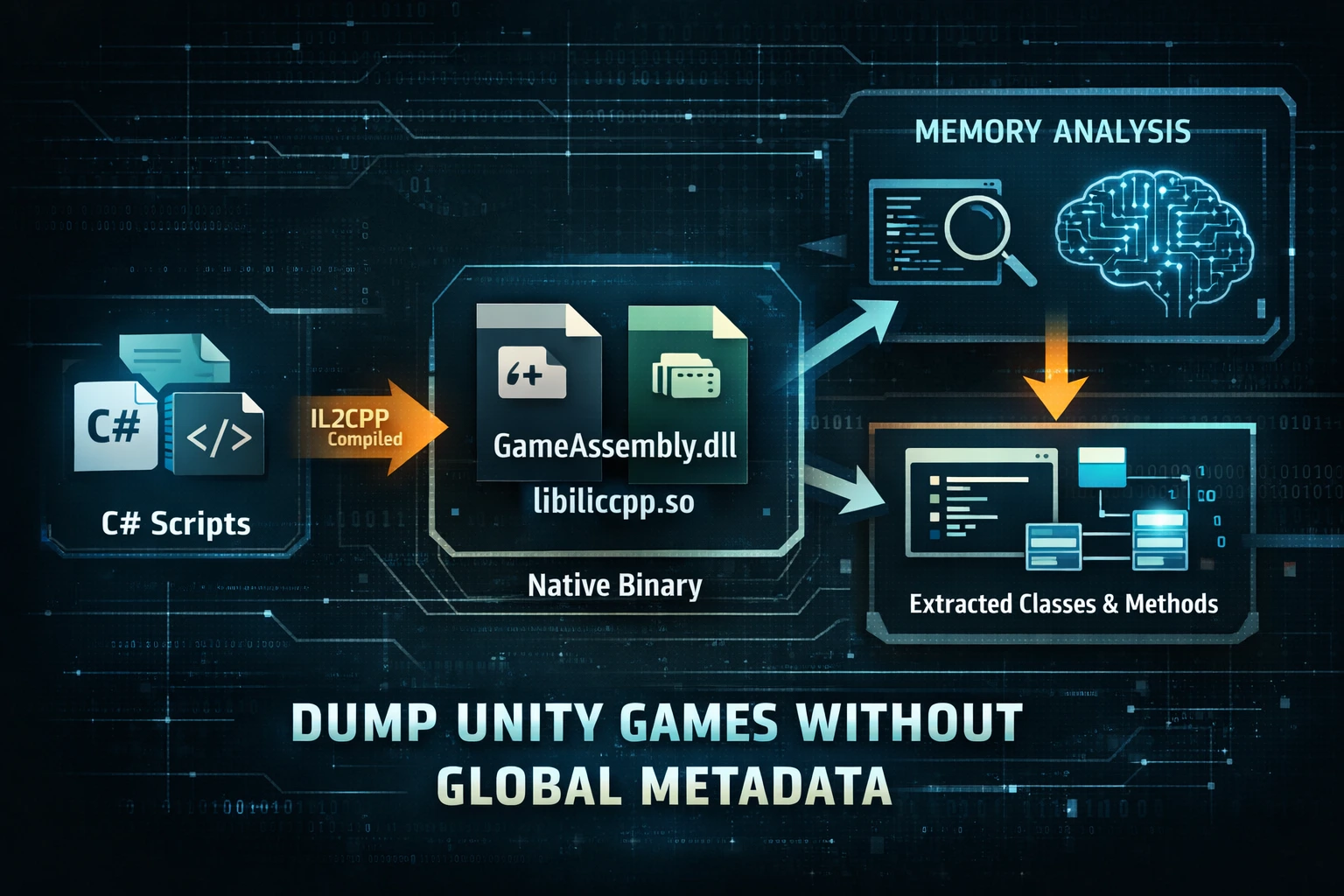
The IL2CPP pipeline looks like this:
C# code → Intermediate Language → Converted to C++ → Compiled into native binary.
Instead of readable DLLs, you usually see:
- GameAssembly.dll (Windows)
- libil2cpp.so (Android)
These files contain compiled native instructions rather than original class names.
Role of Metadata in the Runtime
Even though the code becomes native, Unity still needs structured information. That is where metadata comes in. Metadata tells the engine about:
- Classes
- Methods
- Fields
- Types
- Strings
Without metadata, the runtime cannot correctly map functions or objects.
What is global-metadata.dat and Why It Matters
The file called global-metadata.dat stores structural information about the original C# project.
It includes:
- Class definitions
- Method signatures
- Field offsets
- Type descriptions
- Names of objects
When reverse engineers analyze IL2CPP games, they normally combine:
GameAssembly.dll + global-metadata.dat.
Tools reconstruct “dummy DLLs” using this information. These reconstructed files help developers understand logic and structure.
Without metadata, native code becomes difficult to interpret. Functions lose meaningful names and appear as generic addresses.
Why Some Unity Games Have No Global Metadata
Many modern Unity games deliberately hide or protect metadata. Developers know that metadata makes reverse engineering easier, so they use several techniques.
Metadata Encryption
The metadata file exists but is encrypted. When tools try to read it, they fail because the header or content is modified.
Obfuscation Techniques
Developers may rename structures or change file layouts. This prevents automated dumpers from recognizing standard patterns.
Embedded Metadata
Instead of a separate file, metadata may be embedded inside the main binary.
Runtime Loading
Some games load metadata dynamically into memory during runtime. The file might not exist on disk in readable form.
Anti-Reverse Engineering Protections
Security layers detect analysis attempts and hide internal structures.
These situations lead users to search methods to dump unity games without global metadata because standard workflows break.
What “Dump Unity Games Without Global Metadata” Really Means
When people talk about dumping Unity games without metadata, they do not mean that metadata disappears completely. Unity still uses metadata internally.
Instead, it means:
Extracting class and method information without directly accessing the original metadata file.
The idea is simple:
Even if the file is encrypted or hidden, the runtime must load usable data into memory. Reverse engineers extract information from RAM or reconstruct structures manually.
This approach focuses on runtime analysis rather than static file reading.
Methods to Dump Unity Games Without Global Metadata
There are several conceptual approaches used by researchers and developers.
Runtime Memory Inspection
When a Unity game runs, metadata structures exist in memory. Tools can attach to the process and read these structures.
Advantages:
- Works even when files are encrypted.
- Uses live runtime data.
Runtime Hooking Tools
Frameworks like Frida allow dynamic analysis. They hook into IL2CPP functions and extract class information directly from the running application.
This method bypasses the need for the original metadata file.
Memory Dump and Reconstruction
Another approach is dumping the full process memory while the game is running. Analysts then search for metadata structures manually.
Even protected metadata often appears in decrypted form inside RAM.
Static Binary Analysis
Advanced users analyze GameAssembly.dll or libil2cpp.so directly using reverse engineering tools. By studying patterns, they reconstruct structures without metadata.
This requires deeper technical knowledge but is sometimes necessary.
Common Tools Used in Metadata-less Dumping
Several tools are associated with this workflow.
Frida
- Dynamic instrumentation toolkit.
- Used for runtime hooking.
Cpp2IL
- Attempts to reconstruct structures directly from native binaries.
Il2CppInspector
- Analysis tool for IL2CPP structures.
IDA Pro or Ghidra
- Advanced reverse engineering platforms.
- Used for manual analysis.
These tools do not always replace metadata, but they help reconstruct enough information to continue analysis.
Step-by-Step Conceptual Workflow
Here is a simplified overview of how analysts approach the problem:
- Identify that the game uses IL2CPP.
- Check whether metadata exists or is protected.
- Run the game to allow runtime loading.
- Attach analysis tools.
- Inspect runtime structures.
- Extract class and method information.
- Rebuild understanding of the code structure.
This workflow explains why people search ways to dump unity games without global metadata when standard extraction fails.
Common Errors and Troubleshooting
Many beginners encounter the same problems.
Metadata Not Valid Error
Usually caused by encryption or modified headers.
Missing Metadata File
Some games remove the file entirely or embed it elsewhere.
Version Compatibility Issues
Tools must match Unity version. Incorrect versions lead to errors.
Obfuscation Detection
If class names appear scrambled, the game likely uses protection techniques.
Understanding these issues helps avoid frustration during analysis.
Challenges of Dumping Without Metadata
Working without metadata creates several challenges:
- Class names may be missing.
- Function purposes become harder to understand.
- Structure relationships require manual discovery.
- Analysis takes more time.
Despite these challenges, runtime structures still contain enough information for experienced analysts to reconstruct behavior.
Real Use Cases and Contexts
People researching this topic come from different backgrounds.
Modding Communities
Modders want to understand game structure to create modifications.
Security Research
Researchers analyze applications for vulnerabilities or behavior patterns.
Educational Learning
Students learning reverse engineering explore IL2CPP internals to improve technical skills.
Legal and Ethical Considerations
Reverse engineering should always follow legal and ethical guidelines. Respect intellectual property rights and platform policies. Use knowledge responsibly for learning, research, or legitimate analysis.
Advanced Concepts (Expert-Level Overview)
Advanced researchers explore deeper IL2CPP structures.
Examples include:
- MetadataRegistration tables
- CodeRegistration structures
- Method pointer tables
These internal structures connect native functions with original managed logic. Understanding them helps analysts reconstruct relationships even when metadata files are unavailable.
Future of Unity Protection Techniques
As reverse engineering tools improve, developers continue creating stronger protections. New methods include:
- Dynamic encryption
- Runtime code generation
- Advanced obfuscation
This means techniques to dump unity games without global metadata will continue evolving alongside protection strategies.
Conclusion
Learning how to analyze Unity IL2CPP games becomes challenging when metadata is hidden or encrypted. However, the absence of the metadata file does not make analysis impossible. By understanding runtime structures, memory behavior, and alternative workflows, researchers can still extract useful information.
Instead of relying only on automated tools, understanding how Unity internally loads and manages metadata gives you a deeper advantage. With the right knowledge, you can approach situations where traditional dumpers fail and continue exploring Unity applications more effectively.